Showing posts with label internet info. Show all posts

Wednesday, August 31, 2011

DotA 2

. Wednesday, August 31, 2011
0 comment


Guys, here it come, if lately i bring here bout HoN, now i bring bout DotA 2, you who love DotA at Warcraft think will like this. ^^

I have see some Match Replay from the world tournament that try DotA 2 Beta (I will mention the link at the end of this post). Some not change, like the Heroes skill, Killing sound effect (First Blood, Double Kill, etc), ite. Some new too.. ^^


You might have been thinking "which Dota 2 hero will I use?" If you can't decide which one, then let us help you by showing you the list of Dota 2 heroes.

Click on image below to enlarge photo:


The current beta build that the tournament players are using has 46 heroes enabled for CM Mode. There is one less ban for each team. This change to CM is just temporary, until all of the heroes are ready and stable enough to be enabled in it.


Dota 2 Hero List:

1- Earthshaker
2- Clockwerk
3- Morphling
4- Vengeful Spirit
5- Crystal Maiden
6- Lion
7- Pugna
8- Ancient Apparition
9- Lich
10- Weaver
11- Windrunner
12- Shadow Fiend
13- Spectre
14- Enigma
15- Venomancer
16- Doom
17- Witch Doctor
18- Tidehunter
19- Enchantress
20- Puck
21- Chen
22- Lina
23- Storm Spirit
24- Beastmaster
25- Furion
26- Razor
27- Necrolyte
28- Dazzle
29- Nightstalker
30- Sven
31- Leshrac
32- Sniper
33- Tinker
34- Sandking
35- Rhasta
36- Anti Mage
37- Dark Seer
38- Pudge
39- Drow Ranger
40- Slardar
41- Mirana
42- Zeus
43- Tiny
44- Faceless Void
45- Axe
46- Viper

Can't wait any longer to get your hands on Dota 2? Well, while we wait why don't you just take a look on some of the screenshots of Dota 2


Cant wait anymore and wanna know more, try open the world DotA 2 tournament at http://www.dota2.com/tournaments/international/ u can watch the match replay there. Or you cant keep got the news here http://dotafreedownloads.blogspot.com/

Valve has posted information about "The International" Dota 2 tournament going on at Gamescom this week, but a bunch of news about lucky Gamescom attendees playing the game isn't nearly as exciting as, you know, playing the game yourself. Along with the tourney schedule, Valve has opened up beta registration to the public for Dota 2.


To sign up, all you need to do is

- head over to the Dota 2 page,
- sign into Steam
- click "Get on the List" to join.

Unfortunately, there's no information about just when the beta will be happening or even how players will be chosen to participate, but since there will likely be a lot of people watching the livestream from Gamescom this week, Valve is likely just grabbing names and Steam accounts of interested parties while it can. Here's hoping you get in and play – but not before we do.

Happy creeping, gangbang, and.. Momomomomonster Killll..

Bonus (wallpaper)

Kunkka posted a 5v5 image based on Dota2 hero designs here. Let him know what you think!

Klik disini untuk melanjutkan »»

Friday, March 11, 2011

Jasa Cetak PCB

. Friday, March 11, 2011
4 comment

Dear All, Ini sekedar membantu teman saya untuk memasarkan dagangan ^o^, recomended by Me.

Iklan tertanggal 8 Maret 2011 pukul 04.45 WIB.
Kami, Fisch-Art Electronic, Jl. Bandulan Gg. 8B No. 442 Malang, (0341) 587217 / 08123163820, mbakul.pcb@gmail.com, menawarkan jasa cetak PCB sbb:

Ketentuan harga:
1) Single layer pertinax: Rp150/cm2
2) Single layer fibre: Rp250/cm2
3) Double layer fibre: Rp400/cm2
4) Overlay: low: Rp10.000, high: Rp20.000 (opsional)
5) Masking: low: Rp10.000, standar: Rp30.000, high: Rp35.000 (opsional)
6) Stencil: Rp3.500
Harga sudah termasuk silver-coating.

Klik disini untuk melanjutkan »»
Monday, July 5, 2010

20th Century Boys : Manga, Movie, and Song !

. Monday, July 5, 2010
1 comment


Finally, i have seen all. The Manga, and the Movie.
nothing left.. : the song that mention at Manga!, its really fantastic to hear too. ^^
Here i can show you the download links.

The story begin when Kenji and his friends make a base camp for their group, as a child. They make a forecast book about doom of earth that done by terorist, just for pleasure. Years past and some day there is a real group that use their child group's symbol. This terorist group, do the same thing that wrote on forecast book. Insane, all people in the world believe in this group that tell that all tragedy is make by an terorist that lead by a man called Endou Kenji.
Step by step adult-Kenji, in his hide, try to contact his all old playground friends, find the clues..  who the real terorist is.. is it their own child-time friend? but who? check by your self.. ^O^.

I just can help to direct you here..

Link are :

Klik disini untuk melanjutkan »»

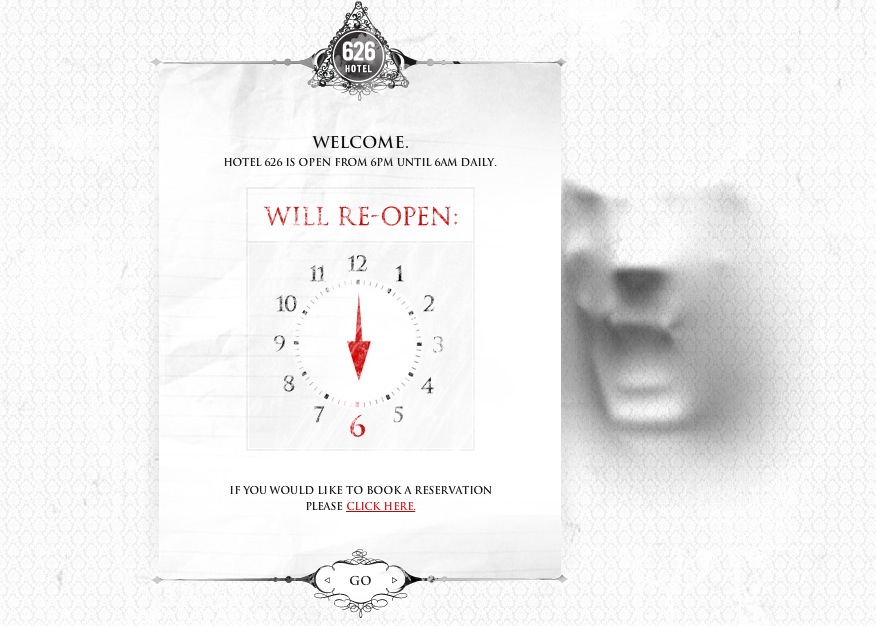
Great Web Games : Hotel 626

.
0 comment

My girlfriend showed me this site which, I think, really is a perfect example of a first class web experience. I’ve seen lots of sites which could’ve been easily built in simple HTML and still deliver the same experience.
This however has more of a ported Resident Evil game and is nowhere near something we used to call a ‘website’. In fact calling this ‘a website’ is kind of an insult to the people who worked on this project.
Hotel 626 aka Hotel Six-to-Six daily opens its vitual doors between 6PM and 6AM, just to make sure you’re viewing the site in the evening or even at night (and believe me: I played this in the dark, with the volume turned up, and it scared the out of me!)
The cool thing about Hotel 626 is the extraordinary interactivity. I’ve seen cool things online, but this beats it all. I mean: when was the last time you had to sing a " song " in order to progress in the game on the web?
Make sure you check this out, it’s really amazing!
Hotel 626: Click

Klik disini untuk melanjutkan »»

Saturday, June 26, 2010

Ultrasurf - Proxy hack penetrate [ How to use ]

. Saturday, June 26, 2010
0 comment

Restricted proxy on a network are often encountered. Not a few also in campus units and departments are often experiencing a connection problem when we are browsing. This can be overcome with a hack on the network proxy that we use. One of the software that can penetrate UltraSurf Proxy. Ultrasurf was created by the Internet Corp. UltraReach.
The working principle of this proxy hack other people are using a proxy in this regard ultrasurf. The following steps:
1. Make sure your computer installed any version ultrasurf program. If no then please download the following link

Klik disini untuk melanjutkan »»

Put Google Translate to Blog

.
2 comment

Now you can add a Language translator to your Blog it self, it will use full for help our foreign visitor to read our blog. For Blogger that want to make the postings in English or another language (the language of Japanese may be). But have the English was a medium level (like me) might be a little trouble to make postings in English.

Klik disini untuk melanjutkan »»

Saturday, June 5, 2010

HoN-LAN Download & Patches [for HoN and DotA lovers]

. Saturday, June 5, 2010
7 comment

This summary is not available. Please click here to view the post.

Klik disini untuk melanjutkan »»

Monday, June 2, 2008

Want an Invite for eRepublik ?

. Monday, June 2, 2008
1 comment


Want an Invitation for eRepublik?
i have some Invitation for joint eRepublik.com . If u want an invitation from me, just give your email here..

-------------------------
Pengen masuk ke eRepublik?
Saya punya beberapa Undangan untuk joint eRepublik.com nih.. Kalau kamu mau satu, tulis aja email kamu, ntar ku invite..

-------------------------
apa itu eRepublik..?? wahh.. hari gini..hehe

"Erepublik is an online social, political and economic mass multi player simulation that offers to its members virtual fame, money and power.

Based on the free market system and social relations existent in the public life, the rules of the game are, most of them, created by the users themselves.
As a citizen of Erepublik, you represent your country in the Erepublik world. Your presence in Erepublik can help your country on different domains:

  • you can work for a company or create your company - this will help you to make a fortune and will help your country's economy;
  • you can join a party or create your own party - joining a party will give you the chance to become a member in your country's Congress; while being the president of a party will make it possible to become the President of your country;
  • you can become a soldier and even a real hero for your country"
Keterangan lebih lanjut, layari
sumber:http://wiki.erepublik.com/index.php/Main_Page


persediaan terbatas lho.. (kaya jual obat aja..hehe)

Klik disini untuk melanjutkan »»

Friday, May 2, 2008

Membuat Icon Link Blog sendiri yuukkk...!

. Friday, May 2, 2008
1 comment

Setelah mengamati beberapa blog, iseng iseng timbul ide "gimana ya kalo kubuat icon link blog ku sendiri.." Hmm... ternyata caranya mudah kok. Mau coba? Begini nih..

Persiapan :

  • ide (mau dibikin seprti apa?)
  • software pict editing (saya pake yang gampang, Adobe Photoshop 7.0)
  • internet connection (buat ngepost iconnya kalo udah jadi..nanti)
Langkah-langkah:
1.Bikin ide , siapin gambar mentahnya, cari aja di internet. misal : 2. Di photoshop, bikin File >>New >> isikan ukuran pixel yang ingin di buat (saran: jangan terlalu besar ukurannya, ini kan cuma icon ^^). Kalau saya pakai 125x50 pixel.

3. Nah akan muncul lembar putih, kita tinggalkan dulu lembar itu. Sekarang kita buka gambar mentah tadi dengan File >> open >> pilih filenya >> open. Sampai langkah ini, tampilannya akan seperti ini.
4. Sekarang kita ingin menghilangkan background gambar mentah, pertama kita duplicate dulu layer-nya (arahkan mouse ke kotak layer di kanan bawah, klik kanan di layer bernama background), pilih duplicate layer, akan muncul 1 lagi layer didalam kotak tersebut. Lalu hapus layer asli dengan cara drag layer aslinya (yang bernama background) ke lambang tempat sampah di pojok kanan bawah.
5. Kita gunakan tool Magic Wand yang ada pada toolbar di samping kiri (pilih daerah gambar yang akan dihapus) lalu tekan del.. Hapuslah serapi mungkin ^^.

6. kalo udah, drag (ubah dulu sifat mouse ke Moving tool) gambar tersebut kedalam lembar 125x50 yang udah dipersiapkan tadi. (kalau kebesaran ubah ukurannya dengan Edit >> Free Transform). lalu pilih Moving tool lagi dan akan ada muncul kotak konfirmasi, pilih Apply.


7. Nah, dari sini silahkan berkarya deh, beberapa tips untuk langkah selanjutnya ^_^
- Optimalkan saja pemakaian fitur-fitur di Blending option (diakses dengan click kanan pada layer yang bersangkutan) .

- Mengubah warna background menggunakan Colour Overlay (click dua kali).
- Stroke biasanya untuk menebali tepi gambar dengan warna lain. (contoh pada icon saya, tulisan RONINHEART yang berwarna biru ditebali oleh warna Putih).
-ingin kesan mengkilat, coba utak-atik di bagian Bevel and Emboss.

8. Finishing! Save file dalam bentuk gif (agar bisa transparan). Posting-kan gambar tersebut ke situs-situs pict hosting. (misal : http://www.postyourimage.com). lalu sisipkan ke script HTML yang menyertakan alamat site anda (seperti saat me-link kan gambar).


selamat mencoba! ^_^

Klik disini untuk melanjutkan »»

Sunday, May 13, 2007

titip link bos..

. Sunday, May 13, 2007
3 comment

http://groups.google.com/group/aut3033/files http://i126.photobucket.com/albums/p100/maxkezee/background-3.gif http://www.hackingexposed.com/tools/tools.html

http://planck.fi.itb.ac.id/~ris/delphi.html

Klik disini untuk melanjutkan »»

Monday, April 30, 2007

kata pendek yang panjang

. Monday, April 30, 2007
0 comment

everyone can choose the way they learn,some people choose to speak some people choose to keep silence and listen...

dikutip dari "http://elektro.brawijaya.ac.id/diskusi/index.php?id=seputar&msg=4789"

Klik disini untuk melanjutkan »»

Saturday, March 17, 2007

milyader muda dari bikin web.. Million Dollar Homepage

. Saturday, March 17, 2007
0 comment

beberapa bulan yang lalu seorang
mahasiswa 21 tahun, Alex Tew, melakukan
hal yang tak disangka menghasilkan uang
$ 1.000.000.
Awalnya dia merasa kekurangan dana untuk
biaya kuliah plus membeli sepasang kaos
kaki baru.
Alex Tew membuat web dengan halaman yang
dibaginya ke dalam 1.000.000 space block
(tiap space 10x10 pixels). lalu
menawarkannya tiap space block tersebut
ke beberapa teman-temannya seharga $1
untuk diisi iklan atau link-link lain
dengan masa aktif 5 tahun. dan dia
ditertawakan oleh banyak orang.
beberapa waktu kemudian ternyata ia
mendapat perhatian dari worldwide
media,masuk record dunia,dan semua space
block nya itu terjual habissss...(sold
out). bahkan space yang sudah terjual
dijual lagi oleh pembelinya dengan harga
lebih mahal tentunya.
kini banyak orang yang meniru idenya
termasuk dari indonesia.. tapi
kebanyakan dari situs-situs tersebut
masih banyak space block yang kosong
(dari 1.000.000 yang terjual cuma 20 an)
bahkan ga kejual sama sekali..yah
ikut2an sih.
inilah situsnya
http://www.milliondollarhomepage.com/
contoh situs penirunya
http://www.milliondollarartwork.com/

Klik disini untuk melanjutkan »»

Thursday, January 25, 2007

elang

. Thursday, January 25, 2007
0 comment

Elang merupakan jenis unggas yang
mempunyai umur paling panjang
didunia. Umurnya dapat mencapai 70
tahun. Tetapi untuk mencapai umur
sepanjang itu seekor elang harus membuat
suatu keputusan yang sangat berat pada
umurnya yang ke 40.

Ketika elang berumur 40 tahun, cakarnya
mulai menua, paruhnya
menjadi panjang dan membengkok hingga
hampir menyentuh dadanya.
Sayapnya menjadi sangat berat karena
bulunya telah tumbuh lebat dan
tebal,sehingga sangat menyulitkan waktu
terbang. Pada saat itu, elang hanya
mempunyai dua pilihan: Menunggu
kematian, atau Mengalami suatu proses
transformasi yang sangat menyakitkan ---
suatu proses transformasi yang panjang
selama 150 hari.

Untuk melakukan transformasi itu, elang
harus berusaha keras terbang
keatas puncak gunung untuk kemudian
membuat sarang ditepi jurang , berhenti
dan tinggal disana selama proses
transformasi berlangsung.

Pertama-tama, elang harus mematukkan
paruhnya pada batu karang
sampai paruh tersebut terlepas dari
mulutnya, kemudian berdiam beberapa lama
menunggu tumbuhnya paruh baru. Dengan
paruh yang baru tumbuh itu, ia harus
mencabut satu persatu cakar-cakarnya dan
ketika cakar yang baru sudah tumbuh, ia
akan mencabut bulu badannya satu demi
satu. Suatu proses yang panjang dan
menyakitkan. Lima bulan kemudian,
bulu-bulu elang yang baru sudah tumbuh.
Elang mulai dapat terbang kembali.
Dengan paruh dan cakar baru, elang
tersebut mulai menjalani 30 tahun
kehidupan barunya dengan penuh energi!

Dalam kehidupan kita ini, kadang kita
juga harus melakukan suatu
keputusan yang sangat berat untuk
memulai sesuatu proses pembaharuan.

Kita harus berani dan mau membuang semua
kebiasaan lama yang mengikat, meskipun
kebiasaan lama itu adalah sesuatu yang
menyenangkan dan melenakan.

Kita harus rela untuk meninggalkan
perilaku lama kita agar kita
dapat mulai terbang lagi menggapai
tujuan yang lebih baik di masa
depan. Hanya bila kita bersedia
melepaskan beban lama, membuka diri
untuk belajar hal-hal yang baru, kita
baru mempunyai kesempatan untuk
mengembangkan kemampuan kita yang
terpendam, mengasah keahlian baru dan
menatap masa depan dengan penuh keyakinan.

Halangan terbesar untuk berubah terletak
di dalam diri sendiri dan
andalah sang penguasa atas diri anda.
Jangan biarkan masa lalu
menumpulkan asa dan melayukan semangat kita.

Anda adalah elang-elang itu.
Perubahan pasti terjadi. Maka itu, kita
harus berubah!

Lamar Boschman - “When I worship, I
would rather my heart be without words
than my words be without heart.”
thx : radhana"sleepingboy"

Klik disini untuk melanjutkan »»

Tuesday, December 26, 2006

art of internet : mencopy yang takdapat dicopy

. Tuesday, December 26, 2006
0 comment

suatu saat kita lagi nge-net, buka2 situ..trus liat ada layout FLASH bagus ;atau iseng2 aja buka game2 FLASH yang menarik.. Tapi sayang ternyata saat niat kita mau men-copy-nya(DENGAN men-CLICK KANAN)..cuma ada option tulisan "setting","About Adobe Flash Player 9..." dan lain2nya. mana COPY selectionnya??????

ada sih cara yang mungkin udah ga asing buat temen2, agar dapat men-copy file2 FLASH yang sebenarnya patent itu.. yak benar,pake aja sofware2 yang bisa menjalankan tugas itu..seperti save flash, copy flash, dll... yg smuanya itu bisa didownload di jagat internet ini. tapi menurut saya, ada kelemahannya tuh... tunggu download software dulu, nunggu install dulu, cuma bisa dipake di ie lagi...(di mozilla software tersebut ga mau jalan..)wah padahal kan lebih cepetan mozilla.....

to the point aja.. mozilla sebenarnya ada fitur untuk men-copy file yang sudah masuk kedalam cache-nya. caranya
1. kita harus pake Mozilla Firefox tentunya
2. buka situs yang ada FLASH yang kita pengen copy; pastikan FLASH itu udah berjalan (ga lg loading)
2. bikin new page,trus di kolom address-nya (yang biasanya kita isi dengan "www.blablabla.bla...") ketik "about:cache?device=disk" (gausah pake tanda petik) lalu enter
3.akan muncul list isi dalam cache internet komputer kita. kita tinggal seaching filenya.. caranya gunakan ctrl+F(akan muncul bar di page bagian bawah), pada kolom find: ketik .swf trus enter2 deh sampe ketemu file yang dirasa cocok (ciri2-nya sih biasanya main address-nya sama dengan situs aslinya) ; melihat address yaitu pada key : http//...blablabla...
4. click alamat tersebut (yang berawalan key : http//...blablabla...)..copy address-nya, paste di IDM ato software pen-download lainnya.. download deh...hwehehehehe

conclution: masih ada beberapa bentuk fitur Mozilla Firefox selain about:cache?device=disk. coba deh cari yang lainnya..temukan fungsinya, seperti contohnya about:cache?device=memory. bagaimana..silahkan mencoba..

-MACKN-

Klik disini untuk melanjutkan »»
 
Roninheart is proudly powered by Blogger.com || Template: Original by o-om.com | Modified by EriWib
dreamhost promos